Android Casino APK Sideload Guide Philippines
Step-by-step Android casino APK sideload walkthrough for Filipino players: SSL checks, SHA-256 verification, and safe permission toggles.
Trying to find a real-money Philippine casino app inside Google Play almost always ends in dead ends or clone pages. Because Google Play limits real-money gambling distribution locally, PAGCOR-regulated operators distribute signed Android APK installers straight from TLS-encrypted websites. Walk through this guide step by step so your handset stays clean from tampered files.
Mastering casino app download for android apk cleanly saves Filipino players wasted troubleshooting minutes and payment delays. Follow each verified checkpoint sequentially below.
Why Philippine Android Casino Apps Use Direct APK Files
Before tapping download on any Philippine casino landing page, inspect the browser padlock and verify the domain uses valid TLS 1.3 transport encryption. Fraudulent Telegram channels and shortened links often host modified installers stuffed with adware or fake login overlays. When you pull directly from an audited portal, the Android package signature remains intact across updates.
Compare the APK file size shown in your Chrome download bar against normal mobile casino benchmarks before opening the installer. Real native wrappers housing slot assets and cashier APIs sit comfortably between 42 MB and 145 MB. An installer under 5 MB is typically an empty web redirector or credential phisher, while anything exceeding 500 MB indicates bundled garbage libraries.
Android Version Permission Matrix and File Size Benchmarks
Once your file finishes downloading, pay close attention to the permission prompt inside Android Package Installer. A genuine gaming client needs network access, push notifications if you opt into bonus alerts, and biometric prompt support. Reject any build demanding contacts, SMS inbox reading, call logs, or Accessibility Service control. Players can verify primary rules directly via official PAGCOR regulatory documentation prior to transacting.
| Android Release | Unknown Sources Menu Path | Expected Security Prompt |
|---|---|---|
| Android 7.0 – 7.1 | Settings > Security > Unknown Sources | Global toggle; switch off right after install |
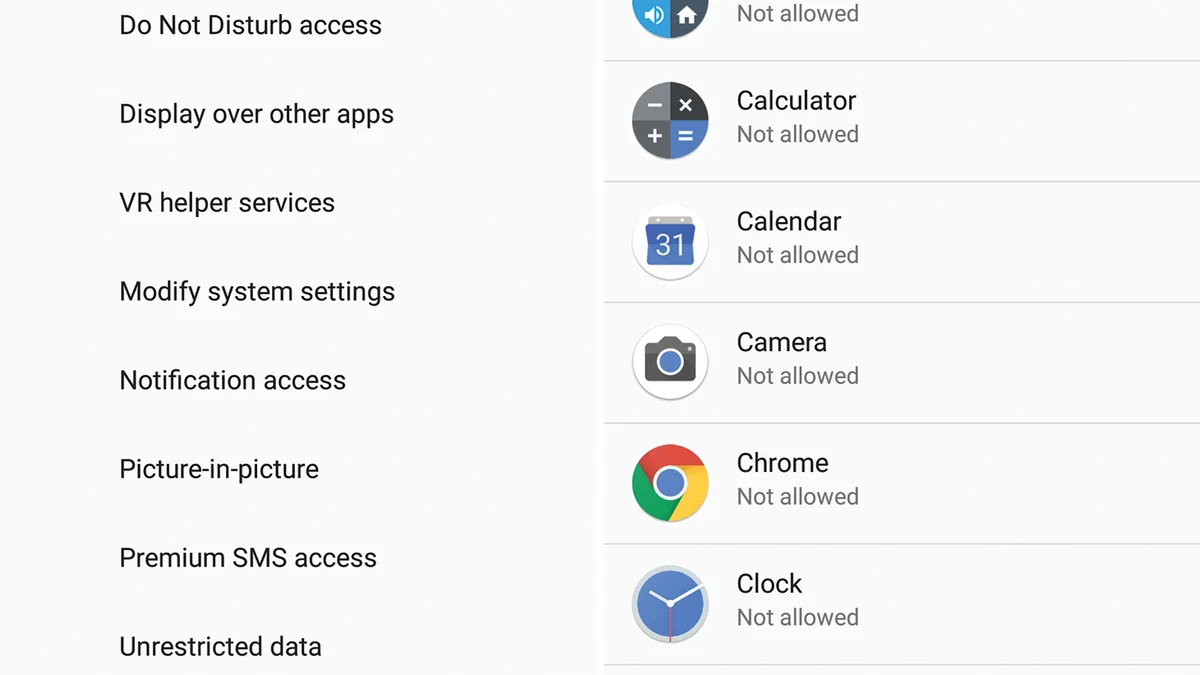
| Android 8.0 – 11 | Settings > Apps > Special Access > Install Unknown Apps | Per-browser toggle (Chrome / Samsung Internet) |
| Android 12 – 13 | Settings > Privacy > Special App Access | Prompted automatically during first APK tap |
| Android 14+ | Settings > Apps > Security & Privacy > More Security | Enhanced Play Protect scan + restricted permission warning |
| Package Size Check | Downloads App > File Properties | Legit range: 42 MB – 145 MB; flag 500 MB+ packages |
Step-by-Step Android Casino APK Sideload Walkthrough
Follow these five ordered actions carefully whenever working through casino app download for android apk on Android or iOS:
Verify the Official HTTPS Mirror
Open the verified operator portal through Chrome on your Android phone and confirm the padlock certificate before tapping the Android APK download trigger.
Inspect Download Size and Chrome Warning
When Chrome displays 'File might be harmful,' check that the file ends in .apk and sits between 42 MB and 145 MB; Chrome flags all external APKs regardless of safety.
Grant Single-Browser Unknown Apps Access
Tap Settings on the prompt and flip Allow from this source ON for Chrome only so other messaging apps stay locked down.
Run the Installer and Audit Permissions
Tap Install, wait ten seconds for verification, open the lobby once, and confirm no requests appear for SMS reading or Accessibility control.
Revoke Browser Sideload Permission
Return immediately to Android App Info for Chrome and turn off Install Unknown Apps to close the sideload window until your next manual update.
Testing APK Cold Launch and Mobile Network Overhead in Manila
Mobile Data & Storage Budget Check for Metro Manila Commuters
Suppose you install a 58 MB casino APK over Globe Prepaid GoEXTRA rather than home fiber. Initial package download consumes roughly 58 MB, plus 28 MB of cached lobby thumbnails on first cold launch, totaling 86 MB or under 5% of a standard 2 GB daily data allocation. After initial caching, 30 minutes of JILI slot rounds consumes only 12 MB to 18 MB because reels render locally rather than reloading web textures every spin.
When applying casino app download for android apk on Smart, Globe, or DITO connections, keeping software updated and matching verified identity records prevents unexpected cashier stalls. Reference official rules via official GCash mobile security documentation whenever edge questions arise.
Fixing Common Android APK Parsing and Block Messages
Even reliable setups hit occasional network hiccups or validation alerts. Check these targeted fixes before retrying transactions:
- 'File Might Be Harmful' Chrome Alert: This is a generic browser notice triggered by every non-Play Store APK download; confirm the domain source and file size before proceeding.
- 'App Not Installed' Conflict: Uninstall older beta builds of the same operator package or clear at least 800 MB of internal flash storage before retrying.
- Play Protect 'App Blocked' Dialog: Tap More Details on the bottom left only if you verified the SHA-256 checksum on the official site; otherwise abort and re-download from the primary mirror.
Related Philippine walkthroughs in this cluster
Explore related resources inside APK Downloads & Mobile Setup and companion Philippine hubs:
- iOS Casino Web-App Setup: iPhone & Safari Guide (online casino app ios philippines)
- How to Verify Casino APK SHA-256 Security Checksums (legit casino app philippines)
- iPad & Android Tablet Casino Setup: Multi-Table View (tablet casino app philippines)
- Mobile Data & Battery Settings for Live Casino Apps (low data casino app philippines)
- GCash Instant Deposit & Withdrawal Guide
- PhilSys & UMID First-Try KYC Guide
- Philippine 21+ Responsible Gaming Charter
Responsible gaming rules and 21+ safeguards in the Philippines
Under Philippine statutes enforced by PAGCOR, participation on mobile casino apps is strictly restricted to individuals aged 21 years old and older. Setting deposit ceilings before opening any game keeps limits strategic rather than reactive. If you ever need an immediate pause, formal self-exclusion takes effect within 24 hours and applies across all access points including mobile app logins. Confidential support is available through the National Council on Problem Gambling Philippines, Gamblers Anonymous Philippines, and the PAGCOR Responsible Gaming Helpline at (02) 8521-1551.
Key takeaways before launching your next session
Following a clear step-by-step routine around casino app download for android apk removes common delays across Philippine mobile networks and e-wallet gateways. Small upfront checks protect both device safety and fast cashouts.
Ready to test a verified mobile lobby once you finish reading? Invite your friends to register and play and get a chance to earn bonuses of up to ₱50,000.00 through official onboarding links, and check seasonal mission tabs to Get a chance to win up to ₱100,000.00 plus unlock exclusive Mystery Chests while staying inside your pre-set budget.
Frequently Asked Questions: Android Casino APK Sideload Guide Philippines
Why is the casino app not listed on Google Play Philippines?
Google Play enforces regional gambling restrictions in the Philippines that block real-money APK distribution. Accredited operators therefore distribute signed Android packages directly via HTTPS portals.
Is Chrome's harmful file warning a virus alert?
No. Chrome triggers that standard warning on every APK downloaded outside Google Play. You still need to confirm the package originates from a legitimate operator URL and weighs 42 MB to 145 MB.
Should I leave Unknown Sources turned on after setup?
No. Leaving Install Unknown Apps active lets compromised ads or messaging apps prompt installs silently. Toggle it back off as soon as installation completes.
How much free phone storage does a casino APK need?
Keep at least 500 MB free even though the APK file averages 50 MB to 90 MB. Android needs unpack space during installation and room for cached slot assets.
Can I link my existing web account inside the Android APK?
Yes. Log in with your registered 09XX Philippine mobile number and password; balances, KYC status, and GCash rails sync across web and APK.