QR Ph Casino Deposits: Scan-to-Pay Across Wallets
Use the Bangko Sentral ng Pilipinas QR Ph national standard to fund casino apps from GCash, Maya, ShopeePay, or local bank apps for verified 21+ Filipino
Instead of juggling ten separate e-wallet buttons, Philippine online cashiers now embrace QR Ph—the unified national payment standard backed by Bangko Sentral ng Pilipinas. One dynamic QR code works seamlessly across GCash, Maya, BDO, BPI, UnionBank, and ShopeePay. Here is how to use scan-to-pay accurately without expired-code errors.
Mastering qr ph casino deposit cleanly saves Filipino players wasted troubleshooting minutes and payment delays. Follow each verified checkpoint sequentially below.
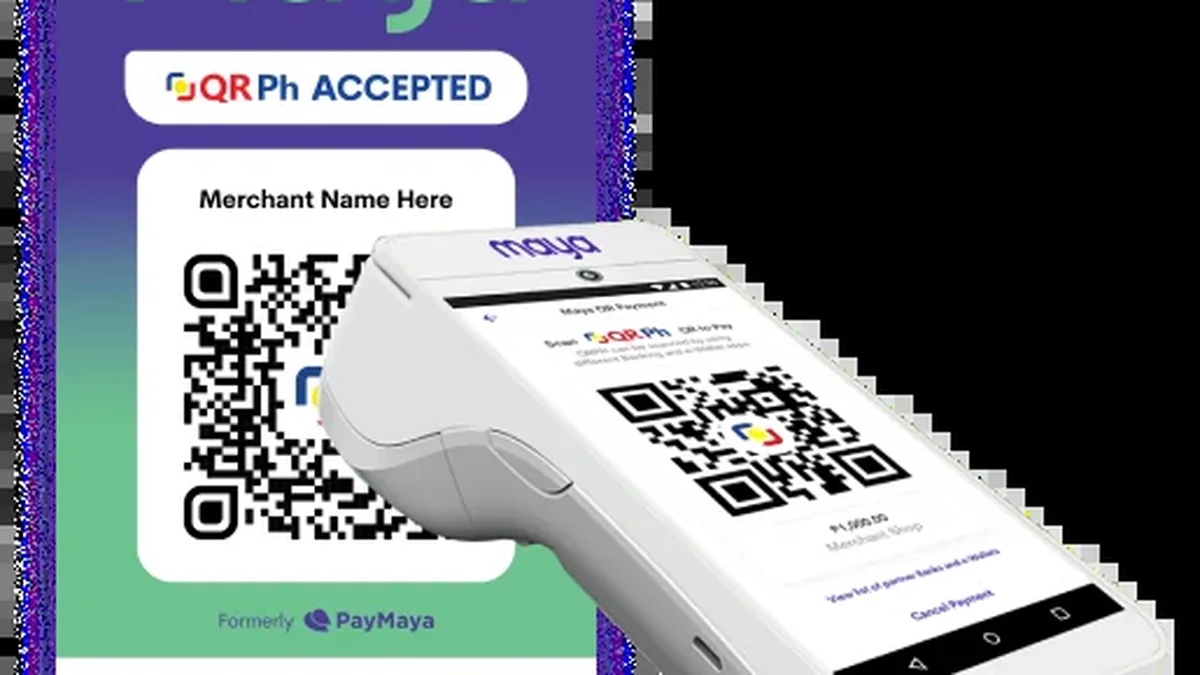
How the National QR Ph Standard Unifies Philippine Casino Deposits
The biggest benefit of QR Ph is eliminating human typing errors. Rather than copying 11-digit mobile numbers or typing manual payment remarks, scanning the dynamic square embeds your unique deposit reference right inside the transfer payload.
Single-phone users do not need a second screen to pay via QR Ph. Simply tap Save Image or take a screenshot of the cashier QR Ph code, open GCash, Maya, or BPI Pay, tap Scan QR, and choose Upload QR from Gallery.
Step-by-Step QR Ph Scan-and-Upload Deposit Walkthrough
Walk through the five practical stages below when setting up or checking qr ph casino deposit:
Select QR Ph Inside the Casino Deposit Tab
Enter your planned PHP deposit amount (e.g., ₱200 or ₱500) and generate a fresh dynamic QR Ph invoice.
Screenshot or Save the QR Code Image
Tap Save QR or capture a clear screenshot without cropping off the corner alignment squares.
Open Your Preferred PH Wallet or Bank App
Launch GCash, Maya, GoTyme, or BPI and select the Scan QR button.
Upload the Fresh QR From Your Photo Gallery
Pick the newly saved QR screenshot, verify the displayed PHP amount matches, and confirm with MPIN or biometrics.
Wait Cleanly on the Cashier Screen
Return to the casino app and wait 10–30 seconds for automatic payment confirmation; never reuse the same QR image twice.
Solving QR Ph Timeout Errors and Uncredited Scans
Whenever unexpected prompts interrupt your session, review these verified remedies first instead of repeating failed taps:
- Wallet App Says 'Invalid or Corrupted QR': Check that the dark screenshot overlay or floating Messenger bubble did not cover any of the three QR corner squares.
- QR Ph Code Expired Before Confirming MPIN: Cancel inside your bank app if unsubmitted, return to the casino cashier, and generate a brand-new QR invoice.
- Money Debited via QR Ph, Lobby Still ₱0: Copy the InstaPay Reference / Merchant Order ID from your banking receipt and paste it into casino live chat.
Supported QR Ph Apps, Limits, and Compatibility Table
Never save and reuse an old QR Ph screenshot for a second deposit later. Each QR Ph image ties to one unique invoice ID; reusing an old image fails webhook attribution and requires manual finance tracing. Players can verify primary rules directly via official GCash cash-out guidelines prior to transacting.
| QR Ph Supporting App | Upload from Gallery Supported | Deposit Crediting & Fee |
|---|---|---|
| GCash Mobile App | Yes (QR > Upload QR) | Instant credit / ₱0 fee |
| Maya App | Yes (Scan > Upload Photo) | Instant credit / ₱0 fee |
| BPI / UnionBank / RCBC | Yes (QR Pay > Gallery) | Instant via InstaPay / ₱0–₱15 |
| GoTyme / SeaBank | Yes (Scan > Photo Library) | Instant credit / ₱0 fee |
| ShopeePay / GrabPay | Supported on merchant QR Ph | Instant credit where enabled |
Saving Screenshots vs Two-Device Camera Scanning
Why Reusing an Old QR Ph Screenshot Breaks Deposit Matching
Suppose at 7:00 PM you generate QR #88412 for ₱300 and deposit successfully. If at 9:00 PM you upload that exact saved screenshot from your Gallery again instead of generating a new ₱300 invoice, the payment hits an expired order ID—forcing manual reconciliation delays of several hours while finance matches your InstaPay reference.
Before moving higher sums tied to qr ph casino deposit, confirm primary rules once on official documentation and test with modest PHP limits. Reference official rules via Bangko Sentral ng Pilipinas national QR and InstaPay frameworks whenever edge questions arise.
Cross-referenced compliance and cashier manuals
Explore related resources inside GCash, Maya & Cashier Rails and companion Philippine hubs:
- GCash ₱100k Monthly Limit & Casino Withdrawal Tips (gcash monthly limit casino withdrawal)
- GrabPay & ShopeePay Casino Transfers: Wallet Guide (grabpay casino philippines)
- Maya Wallet Casino Payments: QR, Cards & Cashouts (maya online casino philippines)
- Fix Delayed GCash Casino Withdrawals: 6 Checks (gcash casino withdrawal pending)
- PhilSys & UMID First-Try KYC Guide
- Philippine Casino Turnover Calculator
- Philippine 21+ Responsible Gaming Charter
Responsible gaming rules and 21+ safeguards in the Philippines
Under Philippine statutes enforced by PAGCOR, participation on mobile casino apps is strictly restricted to individuals aged 21 years old and older. Setting deposit ceilings before opening any game keeps limits strategic rather than reactive. If you ever need an immediate pause, formal self-exclusion takes effect within 24 hours and applies across all access points including mobile app logins. Confidential support is available through the National Council on Problem Gambling Philippines, Gamblers Anonymous Philippines, and the PAGCOR Responsible Gaming Helpline at (02) 8521-1551.
Applying this mobile walkthrough safely
Mastering qr ph casino deposit comes down to preparation: verify HTTPS mirrors or PAGCOR status first, match your PhilSys legal name to your personal GCash or Maya wallet, and keep realistic session budgets from the start.
Once your verified profile is set, Invite your friends to register and play and get a chance to earn bonuses of up to ₱50,000.00 inside structured referral tiers. You can also explore verified event drops to Get a chance to win up to ₱100,000.00 plus unlock exclusive Mystery Chests during active player promotions.
Reader Troubleshooting Q&A: QR Ph Casino Deposits: Scan-to-Pay Across Wallets
Which Philippine wallets and banks work with QR Ph casino deposits?
GCash, Maya, BPI, BDO, UnionBank, GoTyme, SeaBank, and most InstaPay-participating Philippine banking apps support QR Ph.
Can I scan a QR Ph code using just one smartphone?
Yes. Take a screenshot of the QR Ph code inside the casino app, open GCash or Maya, tap QR, and pick Upload from Gallery.
Can I withdraw casino winnings through QR Ph?
No. QR Ph handles deposits only; withdraw directly to your bound GCash, Maya, or Philippine bank account.
Why do QR Ph codes expire after a few minutes?
Dynamic QR codes lock exchange order IDs for 3 to 5 minutes to prevent duplicate or misattributed transfers.
Are there extra charges for depositing via QR Ph?
Regulated merchant QR Ph cashiers charge ₱0 operator fees, though individual banks may apply small standard InstaPay fees.