Fix 'App Not Installed' on Philippine Casino APKs
Resolve Android package conflicts, parsing errors, storage blocks, and Play Protect alerts when updating casino APKs in the Philippines.
Seeing 'App not installed' after waiting ten minutes on slow cellular data for a casino APK download is frustrating. Luckily, Android throws this error for four predictable reasons—most fixable in under two minutes without wiping your account. Let us diagnose and resolve every variant systematically.
Approaching casino apk not installing methodically eliminates guesswork across mobile handsets and Philippine cashiers. Review the benchmarks and steps below before proceeding.
Root Causes Behind 'App Not Installed' on Android Phones
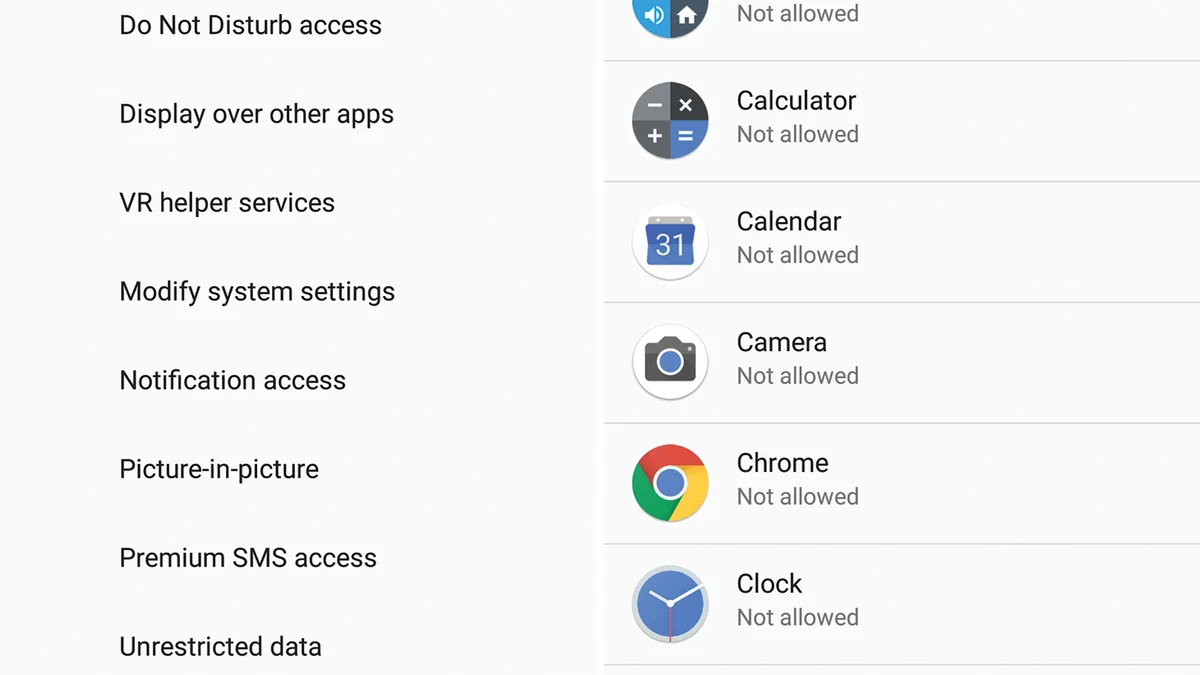
The number-one culprit is an old version already sitting on your handset signed by a different build pipeline or beta channel. Android refuses to overwrite apps unless signing certificates match identically, throwing a generic failure screen instead of explaining the key clash.
Storage thresholds trick many budget phone owners as well. Even when an APK file reads 62 MB in Chrome, Android requires several times that amount in working flash space to verify dex bytecode and extract native shared libraries.
Step-by-Step Resolution Sequence Without Losing Login State
Walk through the five practical stages below when setting up or checking casino apk not installing:
Back Up Your Registered Mobile Number & Password
Confirm you know your 09XX login credentials or saved password in Chrome/Google Password Manager before touching existing apps.
Uninstall Any Older or Beta Casino Build
Long-press the existing icon, tap App Info > Uninstall, and restart your phone to clear lingering package locks.
Free at Least 1 GB of Internal Storage
Open Files by Google and purge trash folders, old TikTok drafts, or duplicate media downloads.
Delete Partial Files and Re-Download Cleanly
Remove earlier .apk files in your Downloads folder so Android does not select a broken duplicate copy like casino(1).apk.
Run Installer With Chrome Unknown Apps On
Tap the freshly completed .apk file, allow installation, verify login, and turn Chrome's Unknown Apps permission back off.
Preventing Corrupt Package Errors During Future APK Patches
Whenever unexpected prompts interrupt your session, review these verified remedies first instead of repeating failed taps:
- Error Persists After Uninstalling Visible Icon: Check Android Settings > Apps > See all apps for leftover cloned/dual-app instances (such as Xiaomi Dual Apps) still holding the package ID.
- Samsung Secure Folder Conflict: Verify the app is not also installed inside Samsung Secure Folder with an older signature.
- SD Card Default Storage Selected: Switch default app install location back to Internal Storage inside developer or storage menus.
Error Message Diagnostic Table for Philippine Devices
Occasionally, older 32-bit Android phones fail to parse 64-bit arm64-v8a installers. Checking your phone architecture ensures you grab the compatible universal or 32-bit APK package. Players can verify primary rules directly via official PAGCOR regulatory documentation prior to transacting.
| Android Error Variant | Primary Technical Cause | Immediate Corrective Action |
|---|---|---|
| App not installed (generic) | Signing key clash with older build | Uninstall old app, reboot, reinstall official APK |
| Package appears to be invalid | Truncated download on unstable 4G | Delete partial file; re-download on steady Wi-Fi/LTE |
| Not enough storage space | Internal memory below 800 MB buffer | Clear video/messaging cache to free 1 GB+ |
| App not installed (incompatible) | CPU ABI mismatch (arm64 vs armeabi) | Fetch universal APK build matching Android OS |
| Blocked by Play Protect | Unsigned or unverified mirror APK | Abort install; pull signed build from verified portal |
Checking Storage Buffers and CPU Architecture Before Re-Download
Storage Buffer Math for a 64 GB Budget Android Device
Suppose a Vivo or Realme phone shows 63.4 GB used out of 64 GB, leaving 600 MB free. Downloading a 75 MB APK drops free space to 525 MB. When Android attempts to unpack and optimize the DEX archive (requiring ~350 MB peak scratch space plus system safety margin), installation aborts until you free at least 1,000 MB.
When applying casino apk not installing on Smart, Globe, or DITO connections, keeping software updated and matching verified identity records prevents unexpected cashier stalls. Reference official rules via official GCash mobile security documentation whenever edge questions arise.
Cross-referenced compliance and cashier manuals
Explore related resources inside APK Downloads & Mobile Setup and companion Philippine hubs:
- Android 14 Unknown Sources Setup for Casino Apps (allow unknown sources casino apk)
- How to Update Philippine Casino APKs Without Data Loss (casino app update latest version)
- Native Casino APK vs Mobile Browser: Speed Benchmark (casino apk vs mobile browser)
- iOS Casino Web-App Setup: iPhone & Safari Guide (online casino app ios philippines)
- Slot RTP & Volatility Bankroll Guide
- Android Casino APK Sideload Walkthrough
- Philippine 21+ Responsible Gaming Charter
Pre-commitment limits and 21+ responsible gaming contacts
Maintaining healthy control means knowing your stop-loss figure before launching any app and respecting the Philippine 21 years old statutory floor. Every regulated operator supports self-exclusion completed within 24 hours across all access points including mobile app and browser wallets. For non-judgmental assistance, reach the PAGCOR Responsible Gaming Helpline ((02) 8521-1551), National Council on Problem Gambling Philippines, or peer fellowships at Gamblers Anonymous Philippines.
Summary action plan for Filipino mobile players
Every reliable session involving casino apk not installing pairs clean technical setup with calm bankroll math. Keep passwords distinct, avoid unknown APK mirrors, and review every promo cap before opting in.
Whenever you are ready to register and verify your mobile profile, Invite your friends to register and play and get a chance to earn bonuses of up to ₱50,000.00 using your personal invite code, plus join ongoing events to Get a chance to win up to ₱100,000.00 plus unlock exclusive Mystery Chests alongside standard play.
Common Player Questions: Fix 'App Not Installed' on Philippine Casino APKs
Will uninstalling the old casino app erase my PHP balance?
No. Your account balance, transaction history, and KYC status live on secure remote servers and restore as soon as you log back in.
Why does Chrome create casino(1).apk files that fail?
Repeatedly tapping Download saves duplicate partial files. Always delete older copies and open only the newest completed download.
How much free space should my phone have before installing?
Leave at least 1 GB of free internal storage so Android can verify, extract, and optimize the installer cleanly.
What does 'problem parsing the package' mean?
Either the APK file finished downloading incomplete due to a dropped connection, or your Android OS version is older than the app's minimum API level.
Can dual-messenger or app-cloner tools cause install errors?
Yes. If an old package ID remains active inside Dual Apps or Secure Folder, uninstall both copies before reinstalling.